Split without limits
People, expenses and currencies are unlimited on Waves Free.
Explore the comparisonWaves vs Spreadsheets and WhatsApp notes
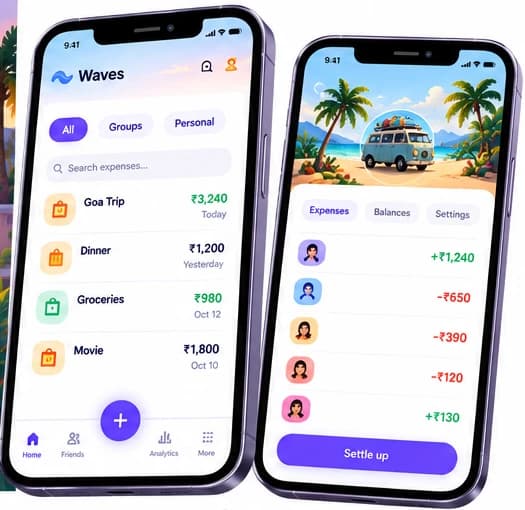
Unlimited people and expenses for free. Settle with UPI, scan receipts, and keep everyone in sync.
COMPARISON
Compare the features, free plans and ways to settle.
Waves
Your shared expenses, together.
Spreadsheets and WhatsApp notes
Compared from public sources.
| Feature | Waves | Spreadsheets and WhatsApp notes |
|---|---|---|
| Who owes whom | Calculated for you, as simplified suggested payments | Formulas you write and keep correct, or by hand |
| Uneven splits | Equal, exact, shares, percentage, itemised and by family | Anything you can build |
| Several currencies | Every ISO 4217 currency, free. Fix the rate per bill, person or trip | You convert and track the rate |
| Receipts | Yes: 2 credits a scan on Free, 300 scans a month on Pro | Paste or attach photos yourself |
| Speaking an expense | English, Hindi, Tamil, Arabic and Hinglish: 1 credit per AI command on Free, 100 a month on Pro | Type it |
| Settling up | Opens your UPI app with the exact amount. For PayPal it opens a payment link; for Venmo, PayNow, Pix and others it shows the payee details to copy. Waves never holds money | Work out the amounts and pay separately |
| History | Edit history and comments on each expense | Whatever the tool keeps |
| Cost | Free forever. Pro is ₹79/month or ₹699/year in India; other countries priced in the app store | Free tools you probably already have |
Competitor details from their public sites and app-store listings as of 25 October 2026; trademarks belong to their owners. "Not listed" means we did not find it in the sources we checked, not that it is missing. Plans and prices change, so check their site before you decide.
Last checked October 2026. Scroll horizontally on smaller screens to compare all columns.
People, expenses and currencies are unlimited on Waves Free.
Explore the comparisonWaves opens your UPI app with the exact amount. Waves never holds money.
See how settling worksCreate a group in Waves and add the people.
See the move guideMove from a sheet or a chat to Waves
Create a group in Waves and add the people.
Add the expenses by hand, or tidy the sheet into columns (date, description, amount, currency, paid by, split between). In the group, choose Import and Waves gives you a template to match.
Or start from today's balances, one expense per person.
Ready for your next shared expense?
Keep your groups, expenses and balances together.
Splits always add back to the bill, to the last paisa, and nobody edits a cell by accident.
Everyone sees the same balance. Changes are listed in Activity.
Scan, speak or type at the table. With no signal you can still type, and photos queue until you are back online; scanning itself needs a connection.
A spreadsheet or a chat note costs nothing and fits any odd arrangement, but you write the maths, keep the history and chase the settlement yourself.
Waves does the split arithmetic, keeps balances in every currency and hands the final payment to your payment app.
A sheet can model any arrangement: shared rent with odd rules, a one-off event budget, anything.
Everyone already has a chat app or a browser.
For one dinner among three friends, a note is plenty.
For a one-off tally among a few people. It struggles when expenses arrive over weeks, in several currencies, or when people edit the same file.
Yes, if it is a CSV or spreadsheet. Open the group and choose Import: Waves gives you a template, reads the columns, and lets you match people and review every row before saving. Results depend on the file.
Yes, the core is free forever. Pro is optional.
Yes. Waves exports JSON, CSV and PDF; on Free an export costs 6 credits.
Competitor details from their public sites and app-store listings as of 25 October 2026; trademarks belong to their owners. "Not listed" means we did not find it in the sources we checked, not that it is missing. Plans and prices change, so check their site before you decide.
Waves details: free plan and Pro features as described in the app and on this site; Pro-only items are marked. See something out of date? Write to hello@wavs.co.in.
Start free today. No credit card required.